What is event tracking?

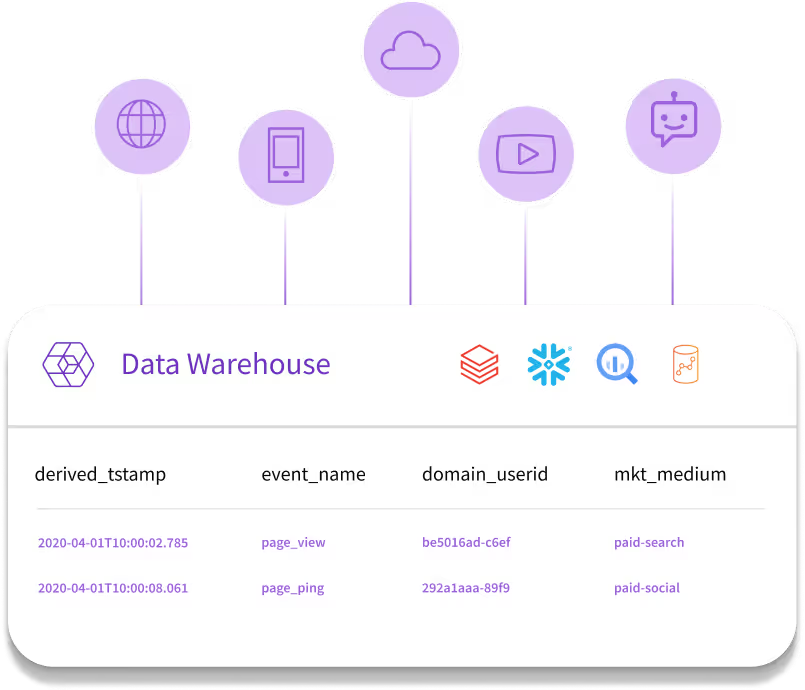
Event tracking records each action a person takes in your product, such as a page view, button click, video play, or purchase, as a timestamped event with details about who did it, what they did, and where. Snowplow collects these events from websites, apps, and servers, validates each one against a schema you define, enriches it, and delivers it to your warehouse, lake, or stream in real time.
How does server-side tracking improve data accuracy compared to client-side tracking?
Server-side tracking sends events from your backend, so ad blockers and browser privacy restrictions can't block them, which makes it the most reliable option for events such as purchases and sign-ups. Client-side trackers run in the browser or app and capture what only the interface sees, such as scrolling, clicks, and screen views. Snowplow supports both, and events from every tracker land in the same atomic events table, so you can use them together.
Which platforms and programming languages does Snowplow support?
Snowplow has more than 20 open-source trackers covering web, mobile, and server-side code. On the web, there are the JavaScript and Browser trackers, Google Tag Manager templates, Google AMP, and a pixel tracker for email. For apps, there are iOS (including macOS, tvOS, watchOS, and visionOS), Android, React Native, Flutter, Roku, and a WebView tracker for hybrid apps. Other trackers cover Node.js, Python, Go, Java, .NET, PHP, Ruby, Scala, Rust, Lua, C++, and Unity.
Should I deploy Snowplow tracking with a tag manager or directly in code?
Either works, and the choice usually depends on who owns tracking. Snowplow's Google Tag Manager templates deploy the JavaScript tracker with its full functionality, and Snowtype can generate code formatted for GTM custom JavaScript, so tags fire on the triggers and data layer you already have. Installing the tracker from npm, or using a native mobile SDK, keeps tracking in your app's code, where engineers get type-safe functions and ad blockers are less likely to interfere.
How can I mitigate the effects of ad blockers and Safari ITP on Snowplow tracking?
Keep tracking first-party, and send the events that matter most from your servers. Serve the Collector from a subdomain of your own site so its cookies are first-party, change its default POST path, and rename or bundle the JavaScript tracker so ad blockers are less likely to stop it. Safari can cap server-set cookies at seven days in some setups, so run a cookie lifetime extension service from the same IP space as your site to restore their lifetime.
If a user goes out of network range, are events collected offline and sent later?
Yes. The iOS and Android trackers store unsent events in an on-device SQLite database and send them once the Collector can be reached again. The web trackers queue events in browser local storage by default and retry requests that fail because of network problems. Server-side trackers such as Go and .NET can also store events persistently until they're delivered. See how the mobile trackers send events.
Can Snowplow track users who haven't given cookie consent?
Yes. Snowplow trackers can send events in anonymous mode, which leaves out user identifiers, and optionally session identifiers, until someone consents. Add server-side anonymization and the Collector also stops setting its cookie and capturing IP addresses. You can switch anonymous tracking off when a visitor accepts your cookie banner, and record consent choices, including withdrawals, as events. Your legal team decides whether a given setup meets GDPR or other requirements.
Can I run Snowplow in parallel with Google Analytics, Adobe Analytics, or Segment while I migrate?
Yes, and running both side by side is the approach Snowplow recommends. You add Snowplow tracking next to your existing tool, check the new data in your warehouse without touching current reports, then move downstream consumers over and switch the old tool off. Historical data can stay in its current tables and be combined with Snowplow data in a transformation layer such as dbt. Snowplow publishes migration guides for Google Analytics, Adobe Analytics, Mixpanel, and Segment.